

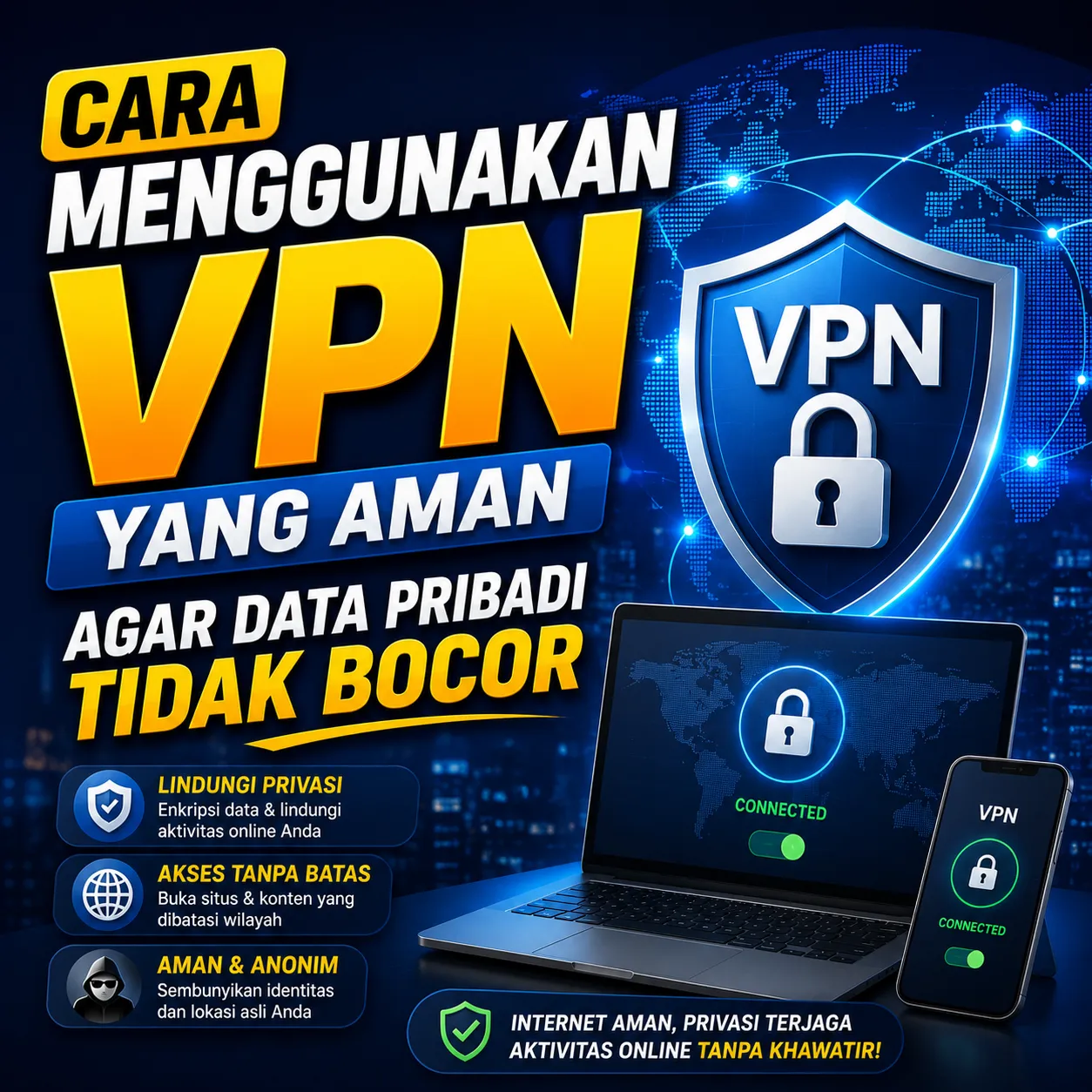
Panduan Menggunakan VPN yang Aman Agar Data Pribadi Tidak Bocor: Cara Melindungi Privasi dan Keamanan Saat Berinternet
Di era digital saat ini, keamanan data pribadi menjadi salah satu hal yang semakin penting. Setiap aktivitas online seperti membuka website, menggunakan media sosial, melakukan transaksi digital, hingga mengakses jaringan WiFi publik berpotensi menghasilkan data yang dapat dikumpulkan oleh berbagai pihak.
Banyak pengguna internet tidak menyadari bahwa informasi seperti alamat IP, lokasi, riwayat penelusuran, hingga data login dapat menjadi target pencurian jika tidak dilindungi dengan baik. Salah satu teknologi yang sering digunakan untuk meningkatkan keamanan dan privasi saat online adalah Virtual Private Network atau VPN.
VPN telah digunakan oleh individu, perusahaan, pekerja remote, hingga organisasi besar untuk membantu mengamankan koneksi internet mereka. Namun, penggunaan VPN yang tidak tepat justru dapat menimbulkan risiko baru terhadap privasi pengguna.
Artikel ini membahas secara lengkap apa itu VPN, cara kerjanya, manfaatnya, serta panduan menggunakan VPN secara aman agar data pribadi tidak bocor.
Apa Itu VPN?
VPN atau Virtual Private Network adalah teknologi yang memungkinkan pengguna membuat koneksi internet yang lebih aman melalui jalur komunikasi terenkripsi.
Ketika VPN aktif, lalu lintas data pengguna akan melewati server VPN terlebih dahulu sebelum menuju website atau layanan yang diakses.
Proses ini membantu menyembunyikan alamat IP asli dan meningkatkan privasi pengguna saat berselancar di internet.
Fungsi Utama VPN
Menyembunyikan alamat IP.
Meningkatkan privasi online.
Mengamankan koneksi internet.
Melindungi data saat menggunakan WiFi publik.
Mengurangi risiko penyadapan data.
Bagaimana Cara Kerja VPN?
Tanpa VPN, perangkat akan terhubung langsung ke website atau layanan online yang digunakan.
Ketika menggunakan VPN, data terlebih dahulu dikirim ke server VPN dalam bentuk terenkripsi sebelum diteruskan ke tujuan akhir.
Tanpa VPN
Dengan VPN
IP Asli Terlihat
IP Disembunyikan
Data Lebih Rentan Disadap
Data Dienkripsi
Privasi Lebih Rendah
Privasi Lebih Tinggi
Risiko WiFi Publik Lebih Tinggi
Lebih Aman
Mengapa VPN Penting?
Semakin banyak aktivitas yang dilakukan secara online membuat keamanan digital menjadi kebutuhan penting.
VPN dapat menjadi salah satu lapisan perlindungan tambahan untuk menjaga informasi pribadi tetap aman.
Data yang Berpotensi Dilindungi VPN
Alamat IP.
Riwayat browsing.
Informasi login.
Data transaksi.
Aktivitas jaringan.
Risiko Menggunakan Internet Tanpa Perlindungan
Banyak pengguna merasa aman karena hanya membuka website biasa. Padahal terdapat berbagai ancaman yang dapat terjadi saat online.
Ancaman yang Sering Terjadi
Pencurian data.
Penyadapan jaringan.
Pelacakan aktivitas online.
Pemalsuan identitas.
Serangan pada WiFi publik.
Kapan Sebaiknya Menggunakan VPN?
VPN tidak harus digunakan setiap saat, tetapi terdapat beberapa kondisi yang membuat penggunaannya sangat direkomendasikan.
Menggunakan WiFi Publik
Jaringan WiFi di kafe, hotel, bandara, atau tempat umum sering menjadi target serangan siber karena banyak pengguna terhubung dalam jaringan yang sama.
Bekerja dari Jarak Jauh
Pekerja remote sering mengakses data perusahaan melalui internet sehingga memerlukan perlindungan tambahan.
Melakukan Transaksi Online
VPN dapat membantu meningkatkan keamanan saat mengakses layanan keuangan atau melakukan transaksi digital.
Memilih VPN yang Aman
Tidak semua layanan VPN menawarkan tingkat keamanan yang sama.
Memilih penyedia VPN yang tepat merupakan langkah penting untuk menjaga privasi.
Kriteria VPN yang Baik
Menggunakan enkripsi kuat.
Memiliki kebijakan no-log.
Memiliki reputasi baik.
Server yang stabil.
Transparan mengenai kebijakan privasi.
Bahaya Menggunakan VPN Gratis Sembarangan
Banyak pengguna tergoda menggunakan VPN gratis tanpa memeriksa reputasi penyedia layanan.
Padahal beberapa layanan VPN gratis memperoleh keuntungan dengan mengumpulkan atau menjual data pengguna.
Risiko VPN Gratis yang Tidak Terpercaya
Pencatatan aktivitas pengguna.
Penjualan data.
Keamanan rendah.
Banyak iklan.
Performa buruk.
Pahami Kebijakan No-Log
No-log policy berarti penyedia VPN tidak menyimpan aktivitas online pengguna.
Fitur ini sangat penting bagi pengguna yang mengutamakan privasi.
Keuntungan No-Log Policy
Privasi lebih terjaga.
Aktivitas tidak disimpan.
Risiko kebocoran data lebih kecil.
Aktifkan Kill Switch Jika Tersedia
Kill switch adalah fitur keamanan yang memutus koneksi internet secara otomatis jika VPN terputus.
Fitur ini membantu mencegah alamat IP asli pengguna terekspos tanpa disadari.
Manfaat Kill Switch
Mencegah kebocoran IP.
Menjaga privasi.
Melindungi aktivitas sensitif.
Perbarui Sistem dan Aplikasi Secara Berkala
VPN bukan satu-satunya alat keamanan yang diperlukan.
Sistem operasi dan aplikasi yang usang dapat memiliki celah keamanan yang berisiko dimanfaatkan oleh pihak tidak bertanggung jawab.
Yang Perlu Diperbarui
Sistem operasi.
Browser.
Aplikasi keamanan.
Aplikasi VPN.
Gunakan Password yang Kuat
VPN tidak dapat melindungi akun jika pengguna menggunakan kata sandi yang lemah.
Karena itu, keamanan akun tetap harus menjadi prioritas.
Ciri Password yang Baik
Panjang.
Unik.
Kombinasi huruf dan angka.
Tidak mudah ditebak.
Aktifkan Autentikasi Dua Faktor
Two-Factor Authentication atau 2FA memberikan lapisan keamanan tambahan pada akun online.
Bahkan jika kata sandi diketahui pihak lain, akun tetap memerlukan verifikasi tambahan untuk dapat diakses.
VPN Bukan Solusi untuk Semua Ancaman
Salah satu kesalahpahaman yang sering terjadi adalah menganggap VPN dapat melindungi dari semua jenis ancaman siber.
VPN memang meningkatkan privasi dan keamanan koneksi, tetapi tidak menggantikan praktik keamanan digital lainnya.
VPN Tidak Melindungi dari
Phishing.
Malware.
Password lemah.
Penipuan online.
Kesalahan pengguna.
Pentingnya Edukasi Keamanan Digital
Selain menggunakan VPN, memahami keamanan digital secara umum merupakan langkah yang tidak kalah penting.
Pengguna yang memahami cara melindungi data pribadi memiliki risiko lebih rendah menjadi korban kejahatan siber.
Banyak kreator digital, pekerja remote, dan pengguna internet aktif yang membangun aktivitas online mereka melalui berbagai platform termasuk ZOYALINK, sehingga kesadaran terhadap keamanan data menjadi bagian penting dalam menjaga identitas dan aset digital mereka.
Kesalahan yang Sering Dilakukan Pengguna VPN
Menggunakan VPN Gratis Tanpa Riset
Tidak semua layanan gratis memiliki standar keamanan yang baik.
Mengabaikan Pengaturan Keamanan
Banyak fitur penting seperti kill switch tidak diaktifkan oleh pengguna.
Memakai Password yang Sama
Penggunaan kata sandi yang sama di banyak akun meningkatkan risiko keamanan.
Merasa Terlalu Aman
VPN hanyalah salah satu bagian dari strategi keamanan digital yang lebih luas.
Masa Depan Privasi Digital
Seiring meningkatnya penggunaan internet, isu privasi dan perlindungan data pribadi akan semakin penting. Pengguna internet semakin menyadari pentingnya menjaga informasi pribadi dari pelacakan, penyalahgunaan data, dan ancaman siber.
Teknologi seperti VPN, enkripsi, autentikasi multi-faktor, dan edukasi keamanan digital akan terus menjadi bagian penting dari aktivitas online modern.
Pengguna yang memahami cara melindungi data sejak dini akan lebih siap menghadapi tantangan keamanan digital di masa depan.
Kesimpulan
VPN merupakan teknologi yang membantu meningkatkan privasi dan keamanan saat menggunakan internet dengan cara mengenkripsi data dan menyembunyikan alamat IP pengguna. Namun, penggunaan VPN harus dilakukan dengan bijak dan memilih penyedia layanan yang terpercaya.
Untuk menjaga data pribadi tetap aman, pengguna juga perlu menerapkan praktik keamanan digital lainnya seperti menggunakan password yang kuat, mengaktifkan autentikasi dua faktor, memperbarui perangkat secara berkala, dan meningkatkan kesadaran terhadap berbagai ancaman siber. Dengan kombinasi langkah-langkah tersebut, risiko kebocoran data dapat diminimalkan secara signifikan.